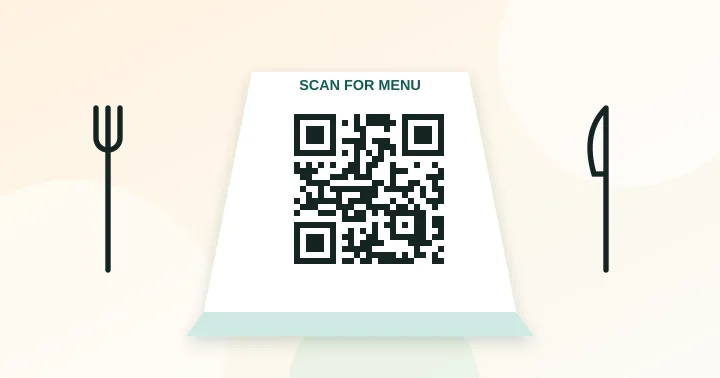
Point a static QR code at a permanent address on your own site, such as yourcafe.com/menu, and update the page behind it whenever the menu changes. Print the code at least 3–4 cm wide on a matte table tent, and keep a few paper menus available.
QR menus became common quickly during 2020 and many places kept them because they are cheaper to update than a reprint. Done well, they save money and let you correct prices instantly. Done badly, they frustrate guests who cannot read a tiny PDF on a patchy connection.
1. Choose where the menu lives
- A page on your own website. Best option. A responsive HTML page loads fast, is searchable, and works with screen readers.
- A PDF. Acceptable only if it is built for phones. A scanned print menu forces pinching and zooming and loads slowly.
- A menu service or your POS provider. Convenient, but check who owns the URL and what happens if you cancel.
Whatever you pick, load it on your own phone on mobile data in your dining room. If it takes more than a few seconds, guests will give up.
2. Make the address permanent
The most expensive mistake is printing a code that points directly at a file such as yourcafe.com/uploads/2026/menu-v3.pdf. The next time you rename the file, every table tent breaks. Instead, commit to a stable address like yourcafe.com/menu and change the content behind it. This gives you the main benefit of a dynamic code, free, and under your control. The reasoning is covered in static vs dynamic QR codes.
3. Print it large enough
For a table tent read from arm’s length, make the code at least 3–4 cm wide with a blank border around it. A short address like yourcafe.com/menu gives a small, simple grid (version 2 or 3), so squares are large. Use the size calculator to confirm. Choose a matte finish; glossy lamination under spotlights is a classic cause of failed scans, as described in common QR code mistakes.
4. Place it where people look
- On the table at an angle that faces the guest, not flat under a ceiling light.
- Near the entrance for people who browse while they wait.
- With a short line of instruction: “Scan to see today’s menu”. A code with a reason to scan gets scanned.
5. Do not leave out guests who cannot or will not scan
Some guests have older phones, limited data, low vision or simply prefer paper. Keep a small stack of printed menus at the counter and have staff offer them proactively. Accessibility matters too: use real text, adequate contrast and large type on the mobile page rather than an image of a menu.
6. Plan the content
- Show prices and the most important dietary and allergen information clearly. Rules differ by country and region, so check the requirements that apply to you.
- Keep the page light: compress photographs and avoid heavy scripts.
- Update the page, not the code. Seasonal changes should never require reprinting.
7. Measure what happens
You can see how many people visit the menu page with your normal web analytics. Add a parameter such as ?src=table to a separate redirect path if you want to separate table-tent visits from other traffic, as explained in how to track QR code scans. Keep the printed address itself short.
When the menu page is ready, create the code in the QR code generator, download the SVG for the printer, and print a single test tent before you order a batch.
Frequently asked questions
Is a PDF menu acceptable?
It works if the PDF is designed for phones, with large text and a small file size. A responsive web page is better: it loads faster, scales to the screen, can be read by screen readers and is easy to update.
How should I handle several languages?
Use one code that opens a page with a language switch, rather than a code per language. It keeps tables uncluttered and means a single address to maintain.
What if guests have no mobile data?
Offer guest Wi-Fi and share it with a Wi-Fi code next to the menu code, and keep printed menus for anyone who prefers them.
Try it: QR Code Generator — Create QR codes for links, text, Wi-Fi, contacts, email, phone and SMS. Download PNG or SVG.
Keep reading
Our guides give general information based on QR specifications, calculations and worked examples. Results depend on your printer, materials and devices, so always test a real print. See our editorial policy.