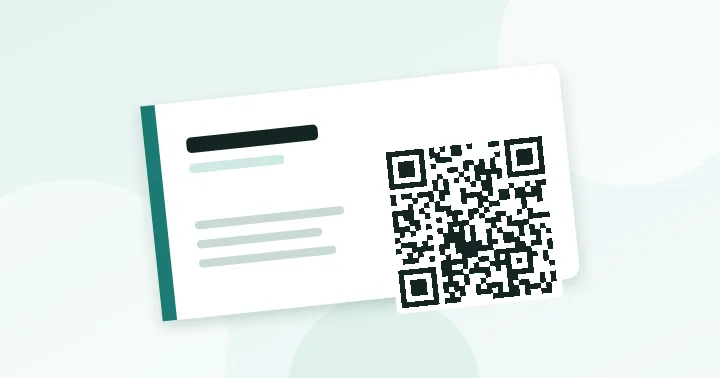
For most people the best card code is a short link to a page you control, such as yourname.com/hi. A full contact-card (vCard) code is useful but gets dense very quickly, which forces a larger print than a business card allows.
A card is a handover moment. The QR code should save the other person effort, not add a puzzle. There are three realistic options, each with different consequences for size and reliability.
Option 1: a link to a page you control (recommended)
Encode a short address, for example yourname.com/hi. The code is small and simple (version 2 or 3), prints reliably at 2 cm, and the page can show your portfolio, booking link or a “save contact” button. Because the destination is a page you own, you can change it later without reprinting. See static vs dynamic QR codes for why this gives you most of the flexibility of a dynamic code.
Option 2: a vCard
A vCard code makes the phone offer “Add contact” immediately, with no website visit. The catch is data volume. We measured two realistic examples with our own tools: a vCard with only name, phone and email is about 115 bytes and needs a 45×45 grid (version 7) at level M; adding company, job title and website brings it to about 180 bytes and a 57×57 grid (version 10).
| Content | Typical size | Grid at level M | Width for 0.4 mm modules |
|---|---|---|---|
| Short link | ~20–30 bytes | 25–29 | 1.0–1.2 cm |
| vCard: name, phone, email | ~115 bytes | 45×45 | 1.8 cm |
| vCard: full details | ~180 bytes | 57×57 | 2.3 cm |
On a 2 cm square, the 57-module code has squares of about 0.35 mm, below our printing floor, while the minimal vCard gets about 0.44 mm. If you want a vCard, include only name, phone and email, and use the capacity checker to see the grid before you commit. Our generator has a Contact type for this.
Option 3: phone or email only
A tel: or mailto: code is very small and works well on a van or a shop window, but it asks the other person to do something immediately. On a card, a link or vCard is usually more useful.
Print rules for cards
- Width: at least 2 cm; 2.5 cm if the code is a version 5 or larger.
- Quiet zone: keep 4 modules of blank space around it, even if that means moving text.
- Contrast: black or very dark colour on a light card. Avoid placing the code on a dark or textured area. Check with the contrast checker.
- Finish: matte stock or soft-touch lamination. Foil, spot gloss and heavy emboss over the code make scanning unreliable.
- Placement: usually the back, with a short instruction such as “Scan to save my contact”.
QR codes in email signatures
A code in an email signature is useful in fewer cases than people think. If the recipient is reading on a phone, they cannot scan the same screen; a plain link is better. It helps when the email is read on a desktop and the recipient wants the link on their phone, or when the signature is printed. Practical points:
- Use an image about 100–120 px wide and keep the link short; email clients may block or rescale images.
- Keep one purpose, such as a booking page or contact page.
- Always include the same address as a text link beneath the image.
Test before printing 500 cards
- Print one card at final size.
- Scan it on two phones from the normal holding distance.
- Scan under indoor light, not only daylight.
The 30-second test avoids reprints. For other print failures see common QR code mistakes.
Frequently asked questions
Should the QR code go on the front or the back of the card?
Usually the back, so the front stays focused on your name and role. If the card has only one printed side, put the code in a corner away from the logo and keep its blank border.
Can I put a QR code on a metal or plastic card?
Yes, but contrast is the risk. Laser-engraved metal and clear plastic can produce low-contrast codes. Test the actual sample, and prefer a dark ink on a light panel.
Is a link or a vCard better for events?
A link is more flexible and keeps the code small. A vCard works without a connection and saves the contact directly, but it needs a larger code. Choose by how reliable the network is at the venue.
Try it: QR Code Generator — Create QR codes for links, text, Wi-Fi, contacts, email, phone and SMS. Download PNG or SVG.
Keep reading
Our guides give general information based on QR specifications, calculations and worked examples. Results depend on your printer, materials and devices, so always test a real print. See our editorial policy.