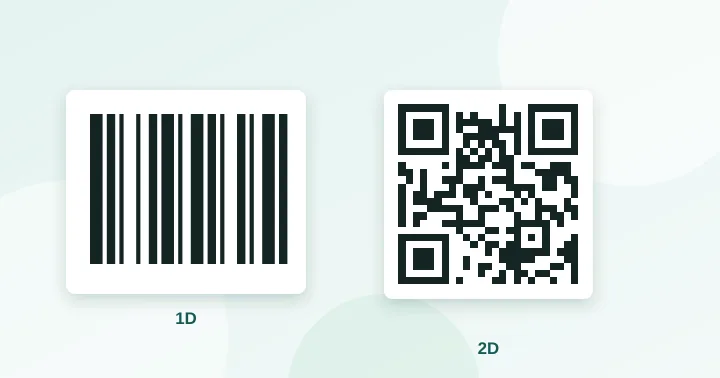
A traditional barcode (1D) stores a short number in lines read in one direction. A QR code (2D) stores hundreds or thousands of characters in a grid, can be read from any angle and includes error correction. Barcodes identify products at checkout; QR codes carry links and richer data to phones.
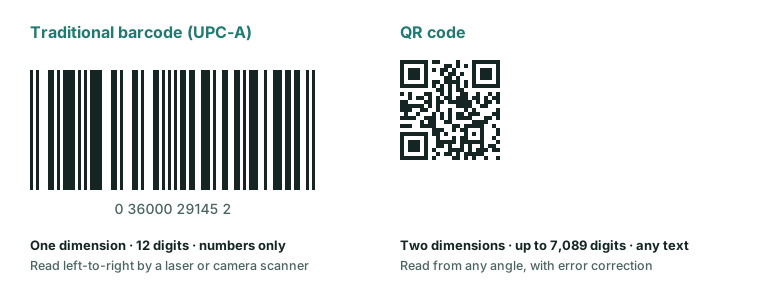
One dimension versus two
A linear barcode, such as the UPC-A on a typical product, is a row of bars of different widths. It holds data along a single line: 12 digits for UPC-A, 13 for EAN-13. Code 128 can hold letters and digits but is still limited by how long a line of bars a scanner can read. A QR code uses a two-dimensional grid, so capacity grows with area, reaching up to 7,089 digits (see the capacity table).
Comparison
| UPC-A / EAN-13 | Code 128 | QR code | |
|---|---|---|---|
| Dimensions | 1D | 1D | 2D |
| Data | 12 / 13 digits | Letters and digits, short | Numbers, text, URLs, binary |
| Orientation | Read across the bars | Same | Any angle |
| Error correction | Check digit only | Check character | Reed–Solomon, up to ~30% |
| Read by | Laser or camera scanner | Laser or camera scanner | Camera (including phones) |
| Typical use | Retail products | Shipping, logistics | Links, payments, tickets, marketing |
Why shops still use barcodes
A product number is short and standardised worldwide. A barcode is cheap to print, small, and read very quickly by fixed laser scanners at checkouts. Replacing billions of installed scanners and printed packaging is a slow process. The product identification standards body, GS1, has been promoting a transition to 2D codes carrying product data alongside the number, with industry targets around 2027, so you may see both on packaging in the meantime.
Why marketers use QR codes
Every modern phone camera reads QR codes without extra software, and a QR code can hold a full URL. That makes it the practical bridge from print to web. Error correction means a creased flyer or a dusty label still reads, which a 1D barcode tolerates poorly.
Other 2D codes you might meet
- Data Matrix: very compact, used for tiny parts and pharmaceutical packs. Not widely read by phone cameras by default.
- PDF417: a stacked linear code used on some driving licences and, historically, boarding passes.
- Aztec code: common on transport tickets and many boarding passes, with no quiet zone requirement.
For consumer-facing printed material QR remains the default because phones read it natively.
Which should you use?
- Identifying a product in a shop: a registered barcode (EAN/UPC) obtained through GS1.
- Sending customers to a page, menu, Wi-Fi or contact: a QR code, from our generator.
- Tracking warehouse stock: whichever your scanners and software support; many systems accept both.
The two often appear together on the same package: the barcode for the checkout, the QR code for “learn more”. They do different jobs. Learn how the format began in the history of QR codes.
Frequently asked questions
Can I use a QR code instead of a barcode on a retail product?
Not for checkout in most shops today. Point-of-sale systems expect a registered GTIN barcode. Industry bodies are moving towards 2D codes carrying product data, but you should check with your retailer and your GS1 member organisation.
Can a barcode scanner read a QR code?
Only if it is a 2D imager. Older laser scanners read one line of bars and cannot decode a grid. Modern camera-based scanners usually read both.
Which is more reliable when a label is scuffed?
The QR code, thanks to error correction. A 1D barcode has no recovery data beyond a check digit, so a scratch across the bars often ruins it.
Try it: QR Code Generator — Create QR codes for links, text, Wi-Fi, contacts, email, phone and SMS. Download PNG or SVG.
Keep reading
Our guides give general information based on QR specifications, calculations and worked examples. Results depend on your printer, materials and devices, so always test a real print. See our editorial policy.