Test an Email QR Without Sending the Draft
Inspect recipient, subject, and body after scanning, then separate email composition from successful delivery.
An email QR can open a prepared draft, but opening a draft is not the same as sending or delivering a message. Recipient applications can handle subject and body fields differently. This guide tests the composition step with an example address and avoids sending anything during the check. It is useful before printing a feedback or contact code whose expected behavior should be clear.
Define the intended action
Write whether the code should open a draft addressed to a particular mailbox, prefill a subject, or include a short body prompt. Keep the printed label accurate, such as “Open an email draft,” rather than claiming it automatically submits feedback.
Use an example-domain address for the test. A composition check does not need a real message to be sent. Keep the fixture distinct from the final contact address so nobody mistakes the test artwork for approved material.
Inspect the payload before scanning
Generate the email code using the appropriate mode and decode the exported asset. Compare recipient, subject, and body with the intended content. Pay attention to spaces, punctuation, and line breaks.
Do not build a long payload by concatenating unreviewed text from several sources. The generator handles its supported form, but you still need to check what was encoded. A file downloaded before the latest form edit remains an older static asset.
Observe the draft fields
Scan and inspect the composing application without sending. Confirm the recipient field first, then subject and body. If an application offers a choice of mail handlers, record the one used for the test.
Opening the camera preview alone may not exercise composition. Follow the intended action far enough to inspect the draft, then close or discard it. Do not infer mail delivery from a successfully opened composition screen.
Check the fallback experience
Some recipients may have no configured mail application or may prefer another contact channel. Put a readable address or appropriate alternative alongside the code, outside its protected margin.
Test the visible alternative separately. A camera-success result cannot establish that the printed address is readable or that the mailbox is monitored. Those are different responsibilities. Keep the contact owner and maintenance plan in the asset record.
Approve the final composition behavior
Replace the synthetic address with the approved mailbox, regenerate, and repeat the field inspection. State which applications were tested and any field behavior that differed. Delivery testing, if needed, is a separate authorized workflow.
Use the QR generator’s email mode and the human-readable-fallback guide. The finished asset should make the next step clear: it prepares a draft for the person to review and send. Its acceptance record should not imply that scanning alone transmitted a message.
| Case or stage | Detail | What to notice |
|---|---|---|
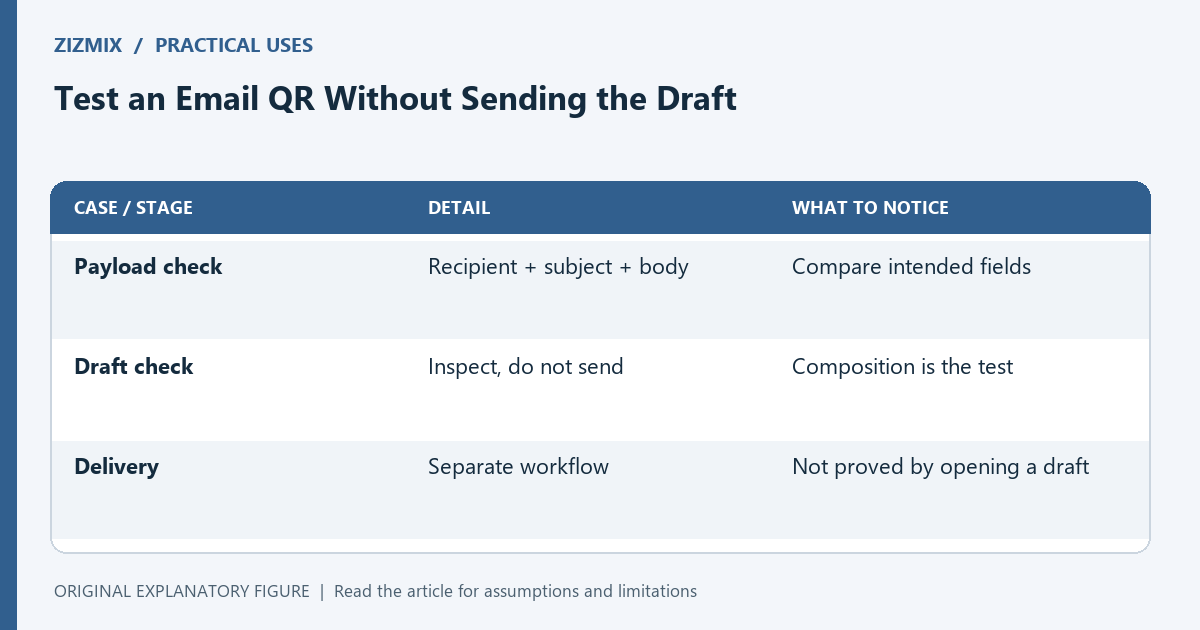
| Payload check | Recipient + subject + body | Compare intended fields |
| Draft check | Inspect, do not send | Composition is the test |
| Delivery | Separate workflow | Not proved by opening a draft |