Plan QR Destination Maintenance After an Event Ends
Keep old printed links understandable by assigning a destination owner, an end-of-event state, and a review date.
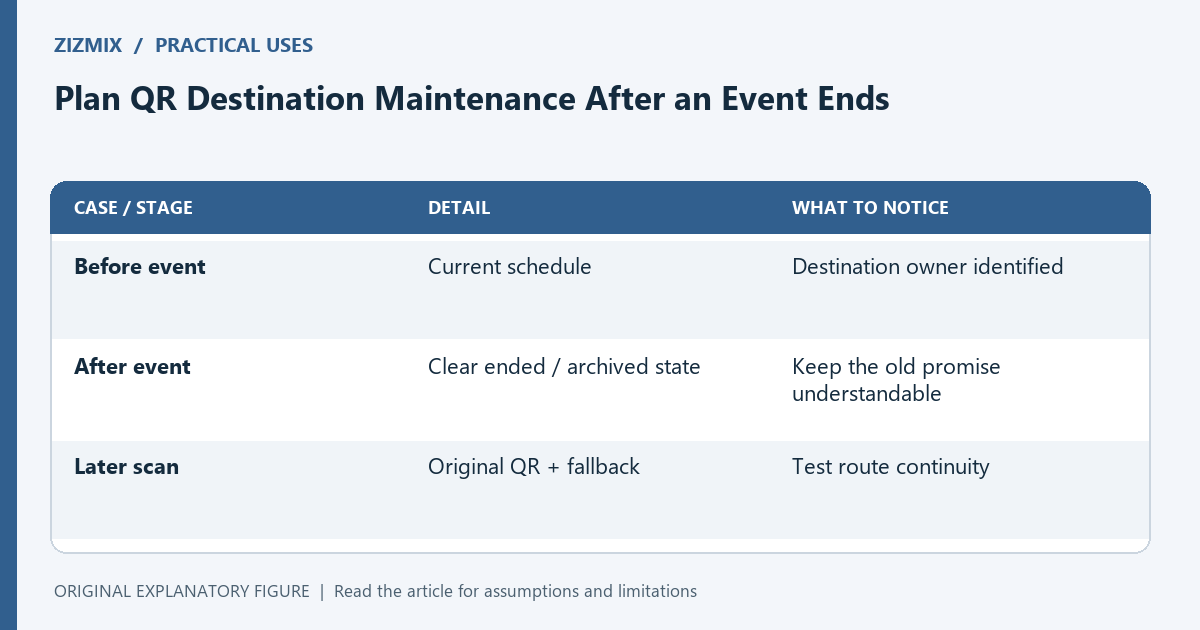
An event code can remain on photographs, cards, and saved messages long after the event finishes. Deleting the linked page may leave those materials with no explanation. A maintenance plan defines what an old scan should show. This guide uses a fictional event schedule and focuses on destination ownership rather than assuming a printed QR can be edited or recalled.
Record the asset’s lifespan
List where the code appears and how long copies may remain accessible. A lobby poster can be removed, but photographs and distributed cards may persist. Keep those differences in the maintenance note.
Separate the visible print date from the destination’s future state. A person scanning later should be able to tell whether the information is current, archived, or no longer available. The code itself only carries its encoded content.
Assign a destination owner
Name the person or role responsible for the linked page and any controlled redirect. Record where the configuration lives. A page can remain technically online while nobody checks whether its information is still accurate.
If a third-party destination is involved, inspect its relevant terms and controls. Do not assume an external service will preserve an old link forever. Choose the maintenance arrangement deliberately based on the actual material and event.
Define an end-of-event state
A fictional schedule page might remain available with a clear “event ended” notice and its date. Another event may need a concise explanation and a link to the organizer’s current page. Keep the promise honest.
Do not silently redirect an old schedule code to an unrelated promotional task. People should understand why the destination changed. If personal information or a temporary function must be removed, preserve an appropriate explanatory landing state where possible.
Check old routes after the update
After changing the page, scan the original printed asset and open its visible fallback address. Follow any redirects and confirm the explanation. Testing only the new site navigation can miss a broken old route.
Keep the original payload in the record so you can reproduce the entry point. A static code still encodes the earlier address even if your current generator form now contains another one. Distributed assets need their own continuity check.
Schedule a proportionate review
Set a review date based on how the materials remain in use and who can maintain the destination. The date is an operational choice, not a universal expiration period. Record the outcome when you check it.
Use the generator to inspect the original payload and the static-versus-dynamic guide for terminology. The useful result is a defined later-scan experience with an owner and a tested old route. Maintenance belongs to the destination even when the printed pattern itself remains unchanged.
| Case or stage | Detail | What to notice |
|---|---|---|
| Before event | Current schedule | Destination owner identified |
| After event | Clear ended / archived state | Keep the old promise understandable |
| Later scan | Original QR + fallback | Test route continuity |